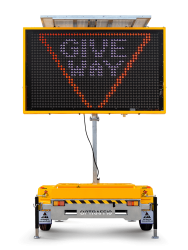
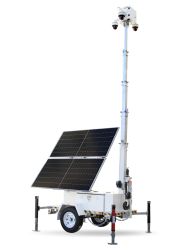
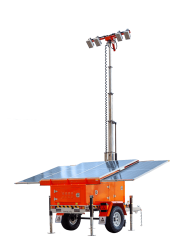
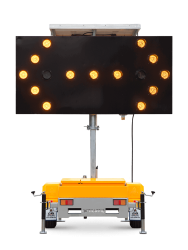
How to Display Travel Times on Portable Message Boards: Data, Format and Rules for Hire Fleets
Travel time messages help drivers choose a route before they reach a queue. Agencies and contractors now ask hire companies for them. This guide explains how to display travel times on portable message boards. It covers where the numbers come from, how they reach the sign and how to format them. It also notes where Optraffic message boards fit when a project already runs a traffic data platform.
Key Takeaways
External data connection: Displays live travel times calculated by a project’s traffic data platform.
Proven platform integration: Connected 35 message boards to Mooven’s travel-time platform in two to three weeks.
Bundled fleet software: Keeps fleet control on one login with no software subscription fee.
Dual-platform control: Lets the data platform push messages while fleet monitoring stays in place.
Single-manufacturer supply chain: Builds display, controller and software in-house without third-party markups.
Where Travel Time Data for Portable Message Boards Comes From
A sign cannot measure travel time by itself. Someone must calculate it and send it. Travel time data for portable message boards usually comes from one of three sources.
Data source
How it works
Roadside hardware
What to check
Map data in the sign maker’s software
The sign’s GPS position and commercial map data give time to a destination
None
Data licence terms and update interval
Project traffic platform
A traffic platform calculates times and pushes them to each board
Depends on the platform
Integration between boards and platform
Roadside detectors
Detectors time vehicles between two points
Yes
Setup time, power and extra units
Each source fits a different job. Map data suits a single board on a simple route. Roadside detectors suit long closures where agencies want their own measurements. A project platform suits large programs where one operator manages many routes and boards.
Optraffic boards use the second source. The Optraffic Web System does not calculate travel times itself. It connects to the project’s external traffic data source. The boards then display live travel times automatically.
The FHWA has encouraged travel time messages on dynamic message signs where appropriate since its 2006 policy memorandum. It describes them as an effective way to tell motorists about current conditions.
How to Push Travel Times From a Traffic Platform to Message Boards
Large events and corridor programs often run on one traffic platform that already holds the travel time data. To push travel times from a traffic platform, the work follows four steps:
Agree the message list. The platform team and road operator set each route, destination and message template.
Build the interface. The board maker opens an interface so the platform can send messages to each board.
Check every display. Both teams test each template against the road operator’s display rules.
Run both systems. The platform pushes travel times. The fleet software keeps monitoring battery, location and status. On Optraffic boards, the Optraffic Web System handles that monitoring.
IKEA’s first New Zealand store opening in December 2025 followed this sequence. The traffic plan used Mooven, a third-party traffic platform, to calculate live travel times. The Optraffic R&D team connected 35 Optraffic message boards to Mooven in two to three weeks. Mooven then pushed live travel-time content to every board. The IKEA Auckland travel time case records the full project.
Each new platform needs its own interface work, so start early. The parent guide to variable message sign software integration explains how platform clauses affect tenders.
Travel Time Message Format: What Drivers Can Read
A good travel time message format answers one question: how long to where? Keep the destination familiar and the number clear.
MUTCD guidance limits portable boards to three lines of eight characters per phase. Long phrases such as TRAVEL TIME need 11 characters, so they do not fit. Keep the destination on one line and the time on the next.
Layout
Phase 1
Phase 2
One destination
DOWNTOWN / 12 MIN
None
Delay message
DELAY / 15 MIN
None
Two destinations
AIRPORT / 18 MIN
CBD / 25 MIN
Use destinations drivers recognise, such as a junction, exit or district. Show whole minutes only. Set a fallback message for when data drops out, such as EXPECT DELAYS. Never leave an old travel time on display.
Portable boards follow the portable changeable message sign rules in MUTCD Part 6. The MUTCD phase rules for travel time messages sit in Section 6F.60 of the 2009 Edition. The 11th Edition moves these rules to Section 6L.05. Check your state’s adopted edition.
The 2009 Section 6F.60 sets these points:
Messages should be limited to three lines of eight characters per line.
A message should consist of no more than two phases.
Each phase should display for at least 2 seconds.
Both phases together should display for no more than 8 seconds.
Messages shall not use animation, rapid flashing, dissolving, exploding or scrolling.
Older guidance differs on timing. The FHWA Portable Changeable Message Sign Handbook from 2003 suggests 1.5 seconds for one- or two-line phases. It suggests 3 seconds for three-line phases. Where sources conflict, follow the current MUTCD and your state manual.
Outside the US, check the local rules before go-live. UK crews work under Traffic Signs Manual Chapter 8. Australian crews follow AS 4852.2 and the state road authority.
Travel Time Message Board Checklist Before Go-Live
Run this travel time message board checklist before the first live day:
Confirm the data source and its update interval.
Fix each destination and test the route on a map.
Load every message template and check it against MUTCD or the state handbook.
Set a fallback message for data outages.
Test one board end to end, from data to display.
Check that each board sits before the drivers’ decision point.
Assign one person to watch data and displays on day one.
Place the Board Before the Drivers’ Decision Point
A travel time message only helps if drivers can still change route. Place the board before the last exit or junction that offers an alternative. The FHWA handbook treats a detour as a major driver action. It advises placing the sign at least 1,000 feet upstream at 40 mph or less. At 45 mph or more, it advises at least 1 mile. For sightlines, height and setup, follow the portable message board placement guide.
Conclusion
Knowing how to display travel times on portable message boards starts with the data source. Pick map data, detectors or a project platform to suit the job. Format each message for a single glance. Keep within the MUTCD two-phase limit.
Optraffic boards take travel times from the project’s own data platform. The Optraffic R&D team sets up each platform connection project by project.
Optraffic boards come with the Optraffic Web System at no additional software cost. Fleet managers keep battery, location and status monitoring on one login. This comparison of free versus subscription fleet platforms shows why that matters for hire fleets.
Accurate travel times support the wider traffic safety goal: fewer surprise queues.
Planning travel time messages for a work zone or event? Contact the Optraffic team with your data platform and route plan.
FAQ
Can a portable message board calculate travel times by itself?
No. A board displays travel times that another system calculates. Travel time data for portable message boards comes from map data, roadside detectors or a project traffic platform.
How do you push travel times from a traffic platform to message boards?
The board maker opens an interface for the platform. Both teams then test each message template. To push travel times from a traffic platform, plan the integration weeks before go-live.
What is the best travel time message format?
Use a familiar destination and whole minutes, such as CITY 13 MIN. A clear travel time message format fits one phase where possible.
How many phases can a travel time message use?
MUTCD 2009 Section 6F.60 advises no more than two phases. The MUTCD phase rules for travel time messages also advise 2 seconds per phase. The full cycle should stay within 8 seconds.